Cyber attacks.
A clear, practical guide to the cyber attacks that actually affect home users, and how simple habits can quietly reduce risk over time.
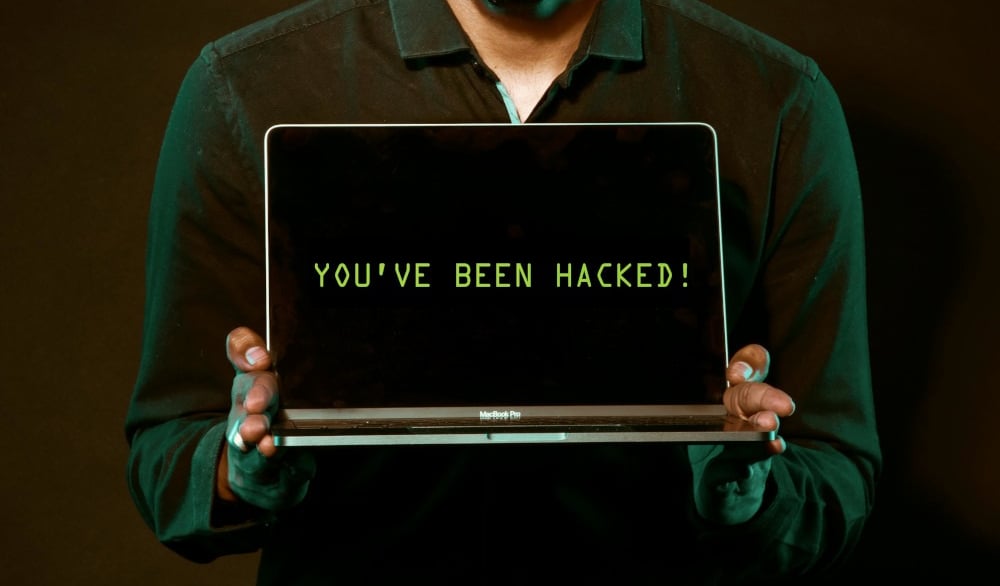
It's easy to imagine cyber attacks like something out of a dodgy movie. Hoodies. Dark rooms. Code flying across screens. Some genius teenager in another country hammering away at the keyboard. That’s not how this usually goes.
For home users, cyber attacks are quieter. Slower. More boring. They arrive disguised as normal life. A parcel notification. A bank alert. A login email you weren’t expecting. A download that looks fine. A phone call that sounds official enough to trigger that small spike of urgency before your brain has fully woken up. This isn’t about every possible attack under the sun. It’s about the ones that actually affect households, families, side hustles, and everyday internet users. The attacks that keep showing up year after year because they work. Let’s walk through them properly.
Phishing and impersonation scams.
Phishing is where most cyber problems start. Not because people are stupid, but because attackers are very good at pretending to be things you already trust. These attacks arrive as emails, texts, phone calls, or websites that look legitimate enough to pass a quick glance. PayPal. Netflix. Amazon. The postal service. Government services. Banks. Tech support. Delivery services. Work accounts. You’ve seen them. We all have. Real-world examples are everywhere. Fake Australia Post delivery texts exploded across Australia. MyGov scams spike every tax season. Netflix and Amazon “account suspended” emails have been doing the rounds for years. Microsoft support scams still convince people their computer is infected and needs immediate fixing.
The reason phishing works is timing and pressure. You’re busy. Tired. Distracted. You weren’t expecting a delivery, but maybe someone else ordered something. You didn’t log in just now, but maybe your account really was accessed. You don’t want to lose access, miss a payment, or get into trouble. So you click. Or reply. Or call back. That’s the mistake. Not because you’re careless, but because the scam is designed to short-circuit thinking and trigger action first. Once you enter your details, the damage is often immediate. Credentials stolen. Accounts accessed. Emails compromised. And from there, attackers move sideways into everything else.
Malware and infected downloads.
Most home users don’t go looking for malware. They download things they think they need. A PDF invoice. A shipping document. A cracked program. A free tool. A browser extension. A “fix” for something that isn’t working properly. This is how malware actually gets onto systems.
Campaigns like Emotet and TrickBot spread through malicious email attachments that looked like ordinary documents. The CCleaner supply-chain attack infected users through legitimate software updates. Pirated software has been one of the biggest delivery mechanisms for password stealers in recent years.
Once installed, malware doesn’t usually announce itself. It sits quietly. Logging keystrokes. Watching browsers. Stealing saved passwords. Waiting. People often don’t realise anything is wrong until bank accounts are drained, social media accounts start posting spam, or email accounts begin sending scams to contacts. This is one of the reasons “I don’t click weird links” isn’t enough anymore. Malware often arrives disguised as something familiar and boring.
Ransomware.
Ransomware encrypts your files and demands payment to unlock them. For years, it was framed as something that happened to hospitals, governments, and corporations. That framing did a lot of damage. Attacks like WannaCry spread globally in days and hit home users as collateral damage. NotPetya crippled infrastructure but also wiped personal machines. Smaller ransomware campaigns quietly lock families out of years of photos, videos, documents, and backups.
For home users, the emotional impact is often worse than the financial one. Baby photos. Family videos. Important paperwork. Gone. Ransomware doesn’t need you to be important. It just needs your system to be unpatched or already infected by something else. Once it runs, it doesn’t care who you are. Backups matter here. More than anything else.
Password reuse and account takeovers.
Another damaging attack type is credential stuffing. Attackers take leaked username and password combinations from old breaches and try them on other services. LinkedIn’s 2012 breach is still being abused today. Canva’s breach led to secondary account compromises for users who reused passwords. Facebook, Dropbox, and countless others have been part of this chain reaction.
Once someone gets into your email account, they can reset passwords everywhere else. Social media. Banking. Cloud storage. Shopping accounts. People often say “I never been hacked” while ignoring the fact that the same password has been reused for ten years across dozens of sites. It’s an incident waiting to happen. This is one of the most preventable problems, and also one of the most ignored.
Public Wi-Fi and home network attacks.
Convenience always comes with a cost. Public Wi-Fi is everywhere. Cafes. Airports. Hotels. Gyms. Shopping centres. Evil twin attacks involve setting up a fake Wi-Fi network with a familiar name. People connect without thinking. Traffic gets intercepted. Credentials get captured. Sessions get hijacked. Home routers aren’t much better if left untouched. Default passwords. Old firmware. Poor configuration. Once compromised, a router can monitor or redirect traffic for every device in the house. This is one of the least visible threats because it doesn’t leave obvious damage. Things still work. Until they don’t. Your network is the foundation everything else sits on. Weak foundations always cause problems eventually.
Mobile phone attacks.
Phones are now wallets, ID documents, authentication devices, and personal diaries rolled into one. SMS malware like FluBot spread rapidly by sending malicious links to contacts. Fake banking apps have slipped into app stores. QR code scams have appeared on parking meters, menus, and signs. SIM swapping attacks have been used to steal cryptocurrency and take over accounts by intercepting SMS-based verification codes. Phones feel personal and safe. That’s exactly why attackers focus on them. If something goes wrong on your phone, the blast radius is huge.
Online scams and financial fraud.
Not all cyber attacks involve hacking. Some involve persuasion. Romance scams cost Australians hundreds of millions of dollars. Fake investment platforms promise quick returns. Marketplace scams manipulate payment flows. Invoice redirection fraud quietly reroutes money to attacker-controlled accounts. Deepfake videos using famous faces have been used to promote crypto scams. Fake PayID requests pressure people into instant transfers. These attacks don’t break systems. They exploit trust, emotion, and urgency. And they work because the stories are tailored, convincing, and often delivered at vulnerable moments. This is where people feel the most shame. And that shame is exactly what scammers rely on to keep victims quiet.
Smart devices and home IoT.
The forgotten weak points: smart TVs, cameras, doorbells, baby monitors, and home automation systems are often installed once and never checked again. Ring camera hacking incidents showed how reused passwords led to strangers talking through home devices. Baby monitor takeovers have been reported globally. The Mirai botnet turned insecure IoT devices into attack infrastructure. These devices are online, underpowered, rarely updated, and often protected by terrible credentials.
AI-driven scams and deepfakes.
AI has changed the quality of scams. Phishing emails are cleaner. Messages are more personalised. Grammar mistakes are disappearing. There have already been cases of deepfake CEO voice scams convincing staff to transfer large sums of money. AI-generated emergency calls have mimicked family members in distress. The danger here isn’t science fiction. It’s familiarity. Voices you recognise. Writing that sounds right. Context that feels personal. The line between “this seems off” and “this feels real” is getting thinner. And this is where we need to be careful not to panic, but also not to be naive. The rules are shifting.
Never trust, always verify.
By this point, a pattern should be starting to emerge. Almost every attack described here relies on the same underlying weakness: we act on trust before we’ve checked whether that trust is deserved. This is where the idea of “never trust, always verify” actually matters. It isn’t a technical slogan or a security catchphrase. It’s a change in how you respond to requests, messages, and prompts in a digital world where copying appearances is easy and cheap. Verification means introducing a deliberate pause. You don’t click the link – you go to the site yourself. You don’t reply to the message – you confirm it another way. You don’t rush just because something sounds official or urgent. Most scams and intrusions depend on speed, familiarity, and assumption working together. When you slow the moment down and verify first, the entire mechanism starts to fall apart.
What actually helps.
If all of this sounds overwhelming, that’s because it can be when presented as a list of horrors. The good news is that protection doesn’t require paranoia. It requires structure. This is where frameworks matter. Not because they’re clever, but because they stop you reacting emotionally to every new threat. You don’t need to chase every headline. You need coverage.
That’s why the Cyber Security Essential Eight approach is so useful for home users, even though it was originally designed for organisations. When translated properly, it focuses on the fundamentals that block the majority of real-world attacks: patching, backups, access control, authentication, and visibility. The attacks described here aren’t random. They succeed where fundamentals are weak. Miss one update. Reuse one password. Skip one backup. Trust one message too quickly. That’s all it takes. Cyber security at home isn’t about becoming an expert. It’s about building habits and systems that quietly reduce risk while you get on with your life.
Most attacks aren’t personal. They’re automated. Opportunistic. Scaled. You don’t need to be perfect. You just need to be harder to compromise than the average target. That alone stops a huge amount of nonsense before it starts. The internet isn’t going to get more trustworthy, but with the right structure underneath you, it doesn’t need to be terrifying either. You don’t need to understand everything to protect yourself. You just need a solid foundation. If you haven’t already, read the Cyber Security for your household blog on the site and use it as your baseline. Alternatively, the CFDR handbook: Your where-to-start guide to self-improvement explores the subject more extensively.
Where to start?
Awareness is the first step, but structure is what makes it stick. If you want to turn this understanding into something practical, read Cyber Security for your household on the site and use it as your foundation. You don’t need to fix everything at once. Pick one improvement. Put it in place. Then build from there. Gentle progress, applied consistently, is more sustainable than any radical changeup.
Connect.
Reach out for support or questions anytime:
© 2026. All rights reserved.